Fast, secure remote support by Bit-Bite
Welcome to fast, secure connection.
Bit-Connect gives you instant, encrypted remote access to any Windows PC: no complicated setup, no expensive licences. Support a customer in seconds, or reach your own office PCs any time.
Free 7-day trial available · Only on Windows

Pick the home screen that suits how you work, then switch between light and dark with one click. Bit-Connect remembers your choice.
Aurora: your ID and password on the left, everything to start a session on the right.

Aurora · Dark: easy on the eyes for late-night support.
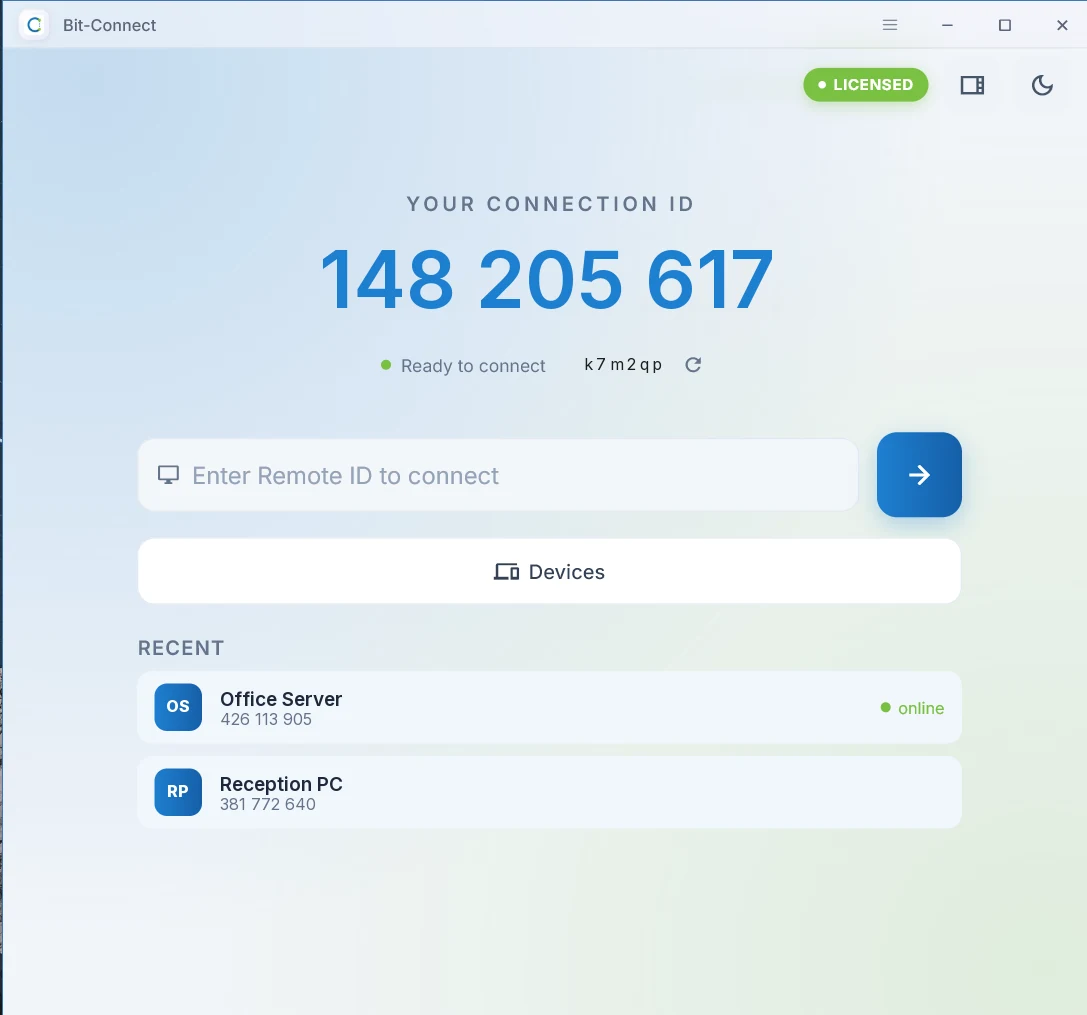
Focus: just your ID, the connect box, your devices and recent sessions.
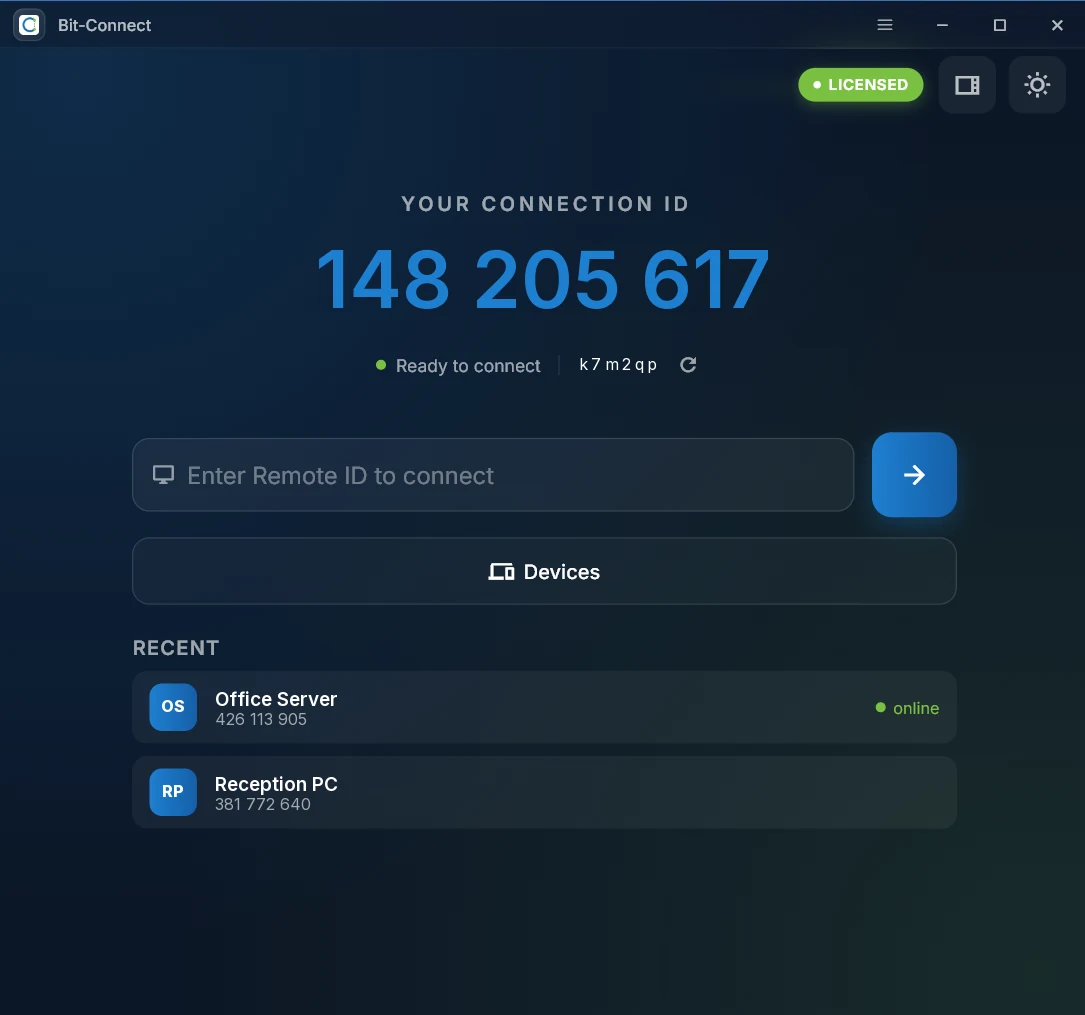
Focus · Dark: the calmest way to work.
Your customer downloads one small file and runs it. No install, no account. They read you their ID and password, and you're in.
Share your ID and password with your technician to allow them to connect.
Group PCs by client or site, see which ones are online right now, and connect with a double-click.
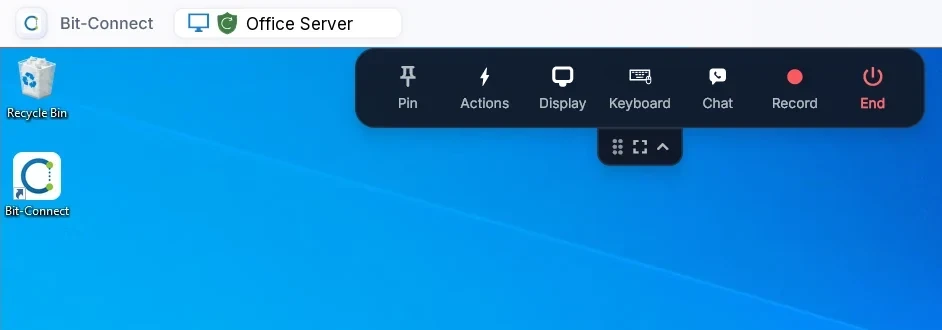
A clean toolbar sits over the remote screen: Pin, Actions, Display, Keyboard, Chat, Record and End. Tuck it away with the handle when you want the whole screen.
Your sessions run through Bit-Bite's own servers, not a public service shared with millions of strangers.
Screens, files and keystrokes are encrypted between the two PCs.
Connections go through servers Bit-Bite runs and looks after.
Nobody connects without the ID and the password, or the unattended password you set.
Updates are digitally signed by Bit-Bite, and the app checks them before installing.
Always the latest version. Windows 10, 11 and Windows Server.
The full app for technicians and businesses: connect to PCs, organise devices and support your team.
For the person who needs help. Run it, share the ID and password with your technician, done.
Download Bit-Connect above and run the installer. It takes about a minute.
Enter your name and email, type in the 6-digit code we send, and you have 7 days of full access.
Love it? Ask us for a monthly or annual licence and activate it in the app with one key.
Windows 10, Windows 11 and Windows Server. Mac and Linux are on the way.
Bit-Connect is the full app for the person giving support (and for reaching your own PCs). QuickSupport is the small run-and-go tool for the person receiving help: they run it and share their ID and password with you.
Yes. Connections go through Bit-Bite's servers, so there's nothing to open on your router or firewall.
Yes. Set an unattended password in Bit-Connect or QuickSupport, install it, and you can connect any time, even after a restart.
Try it free for 7 days. After that we offer monthly and annual licences. Email sales@bit-bite.com or WhatsApp us and we'll put a quote together for your business.
Bit-Connect is powered by RustDesk and is shared under the AGPL-3.0 licence. If you'd like the source code, email admin@bit-bite.com.
Download Bit-Connect and start your free 7-day trial today. Questions? Our team is happy to help.
